買う単位まで計算Purchase-ready units
m・梱・枚へ切り上げ、余りと費用の目安も確認できます。Round up to metres, packs, or sheets and review estimated surplus and cost.
内装材料の購入量を、迷わず。Renovation material planning, simplified.
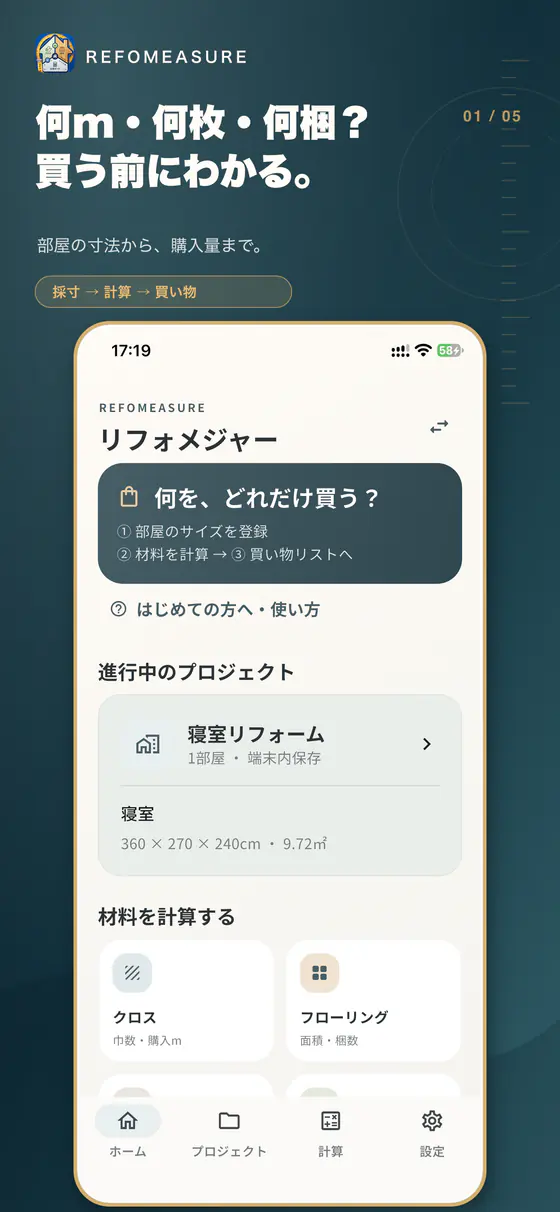
クロスは何m、床材は何梱、石膏ボードは何枚。部屋と商品の寸法から、購入量の目安をすぐに確認できます。
Estimate wallpaper lengths, flooring packs, plasterboard sheets, and sheet vinyl from room and product dimensions.
買い切り・追加課金なしOne-time purchase · No in-app purchases
現場から買い物までFrom site to store
買う前の不安を減らすFewer unknowns before buying
メモ、電卓、商品ページ、表計算を行き来する手間を減らし、部屋ごとの計算根拠を残します。Spend less time switching between notes, calculators, product pages, and spreadsheets. Keep the basis for every room calculation.
m・梱・枚へ切り上げ、余りと費用の目安も確認できます。Round up to metres, packs, or sheets and review estimated surplus and cost.
案件、部屋、材料を分けて保存。どの計算か迷いません。Keep projects, rooms, and materials separate so every calculation stays clear.
必要な材料を一覧化し、選んだ案件をPDF・CSVで書き出せます。Collect the materials you need and export selected projects as PDF or CSV.
迷わない3ステップA simple three-step flow
難しい専門用語より、次に何を入力すればよいかを優先。初めてでも一部屋ずつ進められます。Clear next steps take priority over jargon, so even first-time users can work room by room.
幅・奥行・天井高をcmで入力。Enter width, depth, and ceiling height.
ロール幅、梱包面積、板寸法を選択。Choose roll width, pack coverage, or board size.
買い物リストへ追加し、PDFで共有。Add it to your list and share a PDF.
アプリの画面Inside the app
横にスワイプSwipe to explore →


データは端末の中にYour data stays on your device
プロジェクト、寸法、計算結果、買い物リストは端末内に保存されます。PDF・CSV・バックアップは、あなたが選んだときだけ作成されます。
Projects, measurements, calculations, and shopping lists are stored on your device. PDF, CSV, and backup files are created only when you choose.
プライバシーポリシーPrivacy PolicyREFOMEASURE
買い切りですべての機能を利用できます。サブスクリプションはありません。One purchase unlocks every feature. There is no subscription.
App Storeで見るView on the App StoreFAQ
結果は購入量の目安です。購入前に商品の実寸、梱包仕様、柄合わせ、施工方法、現場条件を確認してください。
Results are estimates. Confirm product dimensions, packaging, pattern matching, installation method, and site conditions before buying.
プロジェクトデータは端末内に保存され、運営者のサーバーへ送信されません。
Project data stays on your device and is not sent to our servers.
設定からバックアップを書き出し、安全な場所に保存してください。
Export a backup from Settings and store it safely.