Set your goal
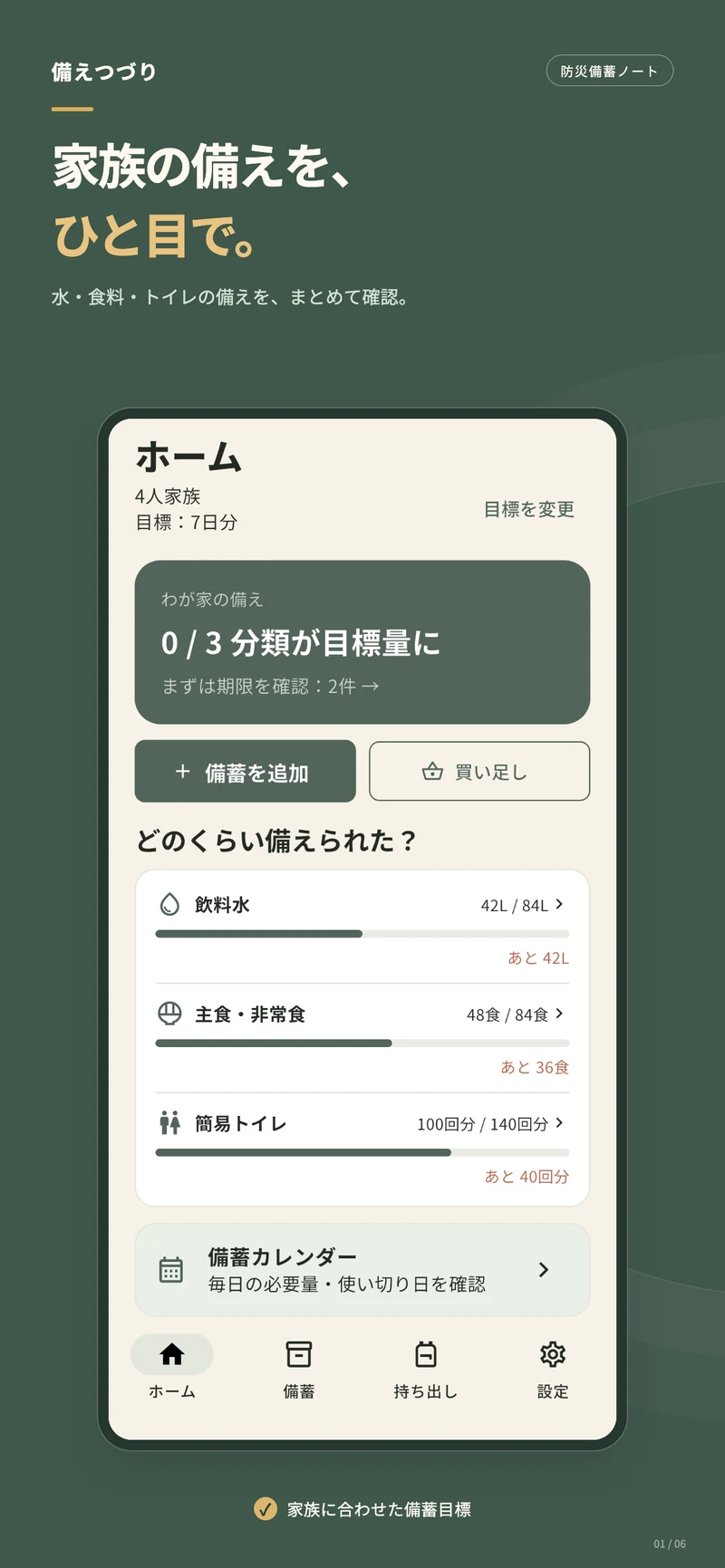
Choose your household size and how many days you want to prepare for.
Water, food, expiry dates and emergency bags.
Keep your household’s supplies in one quiet, organized place.
For iPhone & iPad · No subscription
 iPhone & iPad One calmer routine.
A simple routine that turns “someday” into something you can do today.
Choose your household size and how many days you want to prepare for.
Record quantities, expiry dates and where you keep each item.
Check shortages and upcoming dates, then replenish at your own pace.
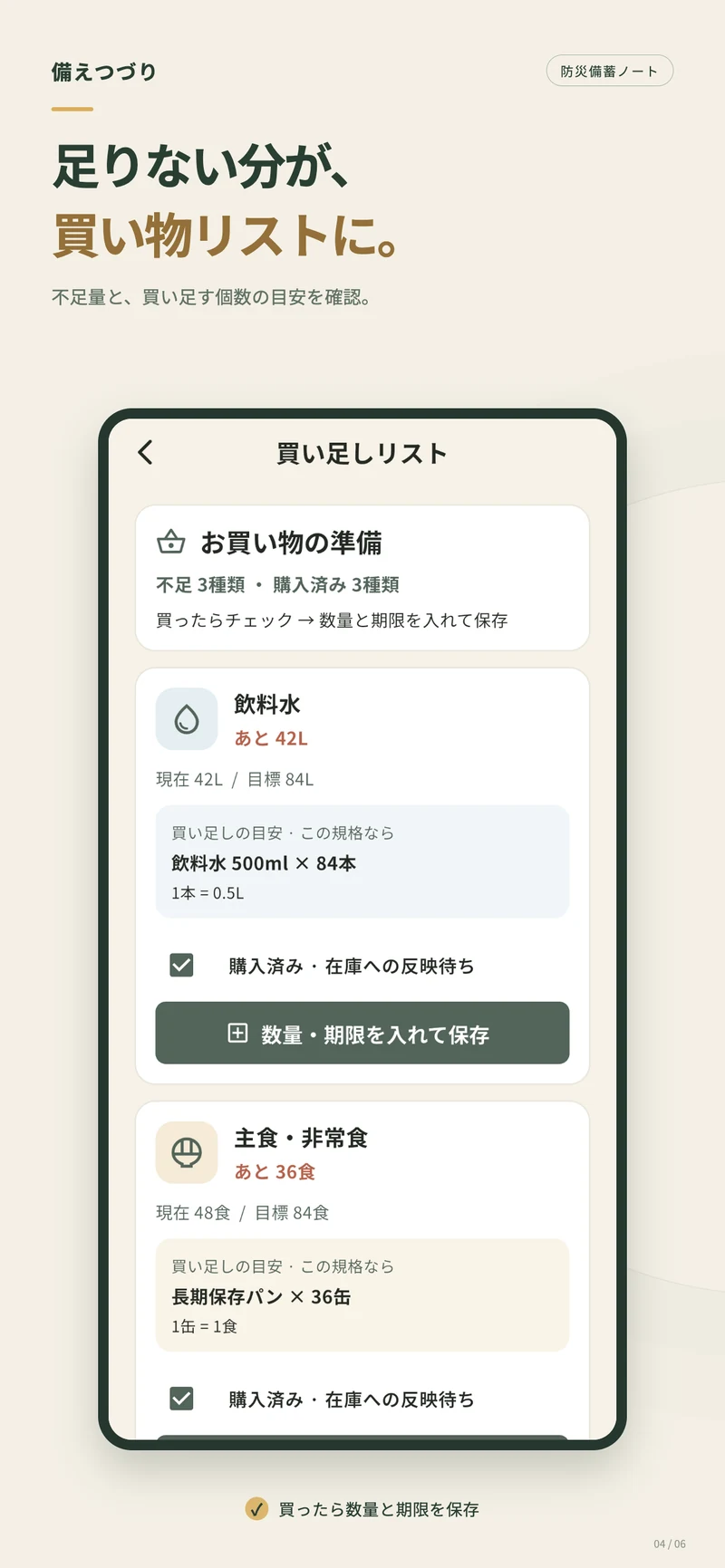
See the gap between your current supplies and your goal, with a suggested number of packs to buy.
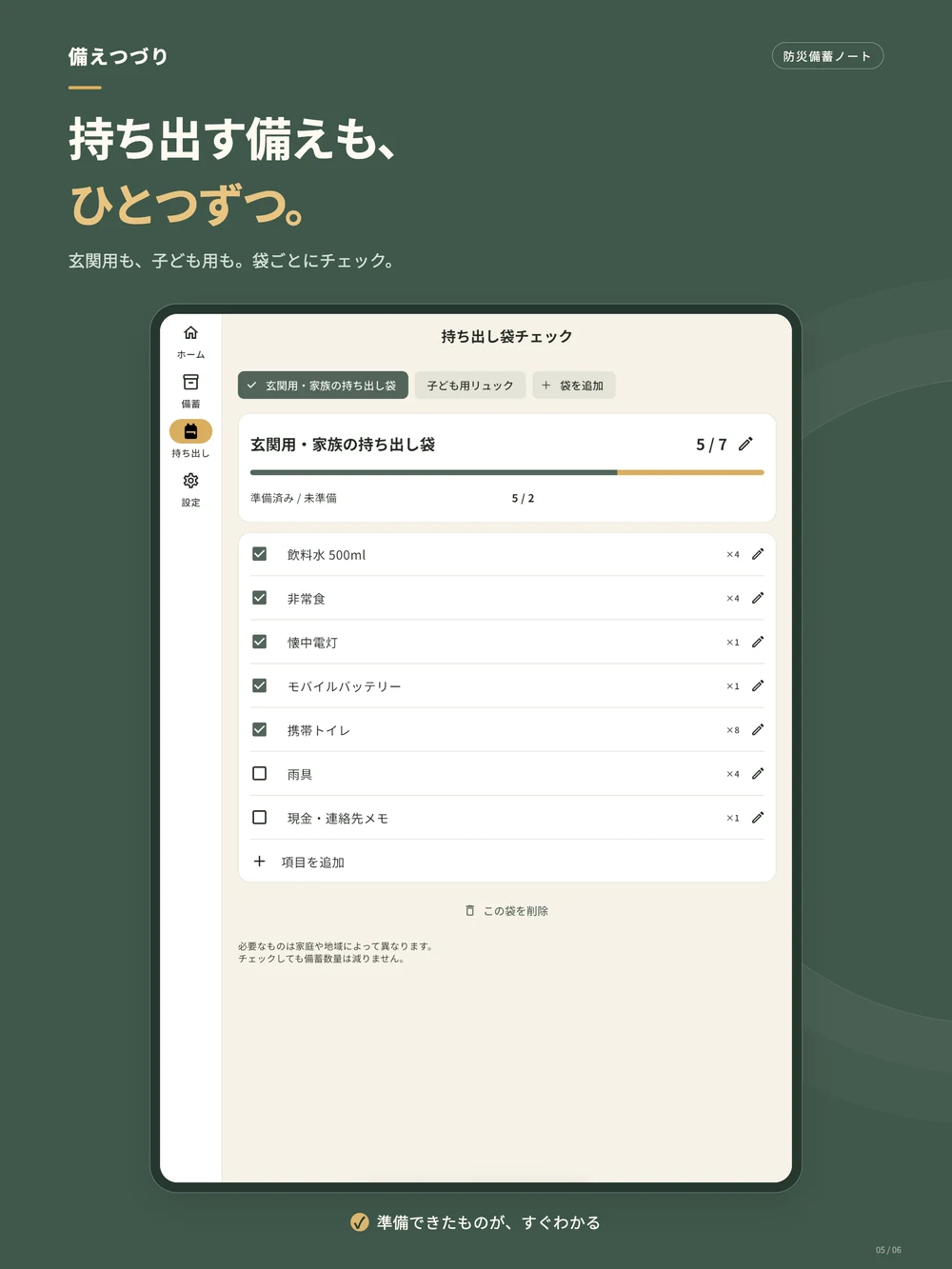
Keep the entryway bag and a child’s backpack organized separately. See what is ready and what still needs attention.
Screenshots show the Japanese interface and sample data.
No account setup. Inventory, photos and checklists stay in the app’s local storage. Export a PDF or create a backup when you need one.
Read our privacy policy ↗There is no automatic cross-device family sync. You can share exported PDFs or transfer a manual backup.
No. The app uses paid download pricing with no Pro tier or in-app subscription. Check the App Store for the current price and availability.
Reminders use device notifications. Permission, Focus settings and system conditions can affect delivery. Review your supplies regularly as well.